
Free · Windows and Linux
Algorid Fetch
A fast, resumable download manager. It downloads each file over many connections at once, picks up where it left off after a pause or a reboot, and works with your browser through a small extension.
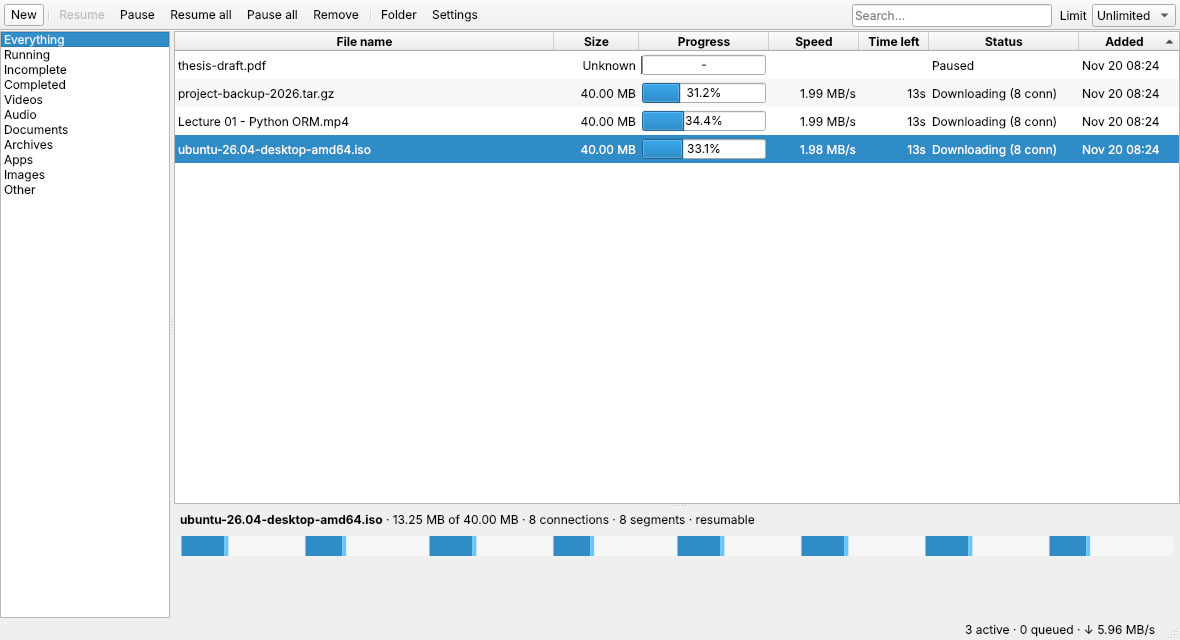
- Splits each file across up to 32 connections and keeps all of them busy until the end
- Resumes after a pause, a crash or a reboot
- Catches browser downloads, including ones that need you to be logged in
- Saves videos from sites that allow it, with a quality picker (1080p, 720p, audio only and more)
- Queue, speed limit, folders by file type and clipboard watch
- Works from the terminal too: algorid-fetch get URL
1Install the desktop app
Windows
Windows 10 and 11, 64-bit · 25 MB
Download .exeRun the setup. It takes about half a minute and needs no administrator rights. If Windows shows "Windows protected your PC", click More info, then Run anyway.
Ubuntu and Debian
Ubuntu 20.04+, Debian 11+, Linux Mint, Pop!_OS · 75 KB
Download .debThen open a terminal (Ctrl+Alt+T) and run:
sudo apt install ~/Downloads/algorid-fetch_1.0.0_all.debUse apt, not dpkg -i, so everything the app needs is installed with it.
Open source under the MIT license. Download the source code.
2Add the browser extension
Chrome
Also works in Brave, Edge, Vivaldi and Opera
Coming soonFirefox
Including Ubuntu's default Firefox
Coming soonNo pairing needed: the extension finds the app by itself. Installed the extension first? It opens a setup page and connects as soon as the app is installed.
3Start downloading
- Download anything as usual. The extension hands the download to Algorid Fetch, with your login, and starts the app if it is closed.
- Save a video: hover over or play it, click Fetch video and pick a quality. The first time, the app offers to download the free video components it needs.
- Right-click a link for Fetch link with Algorid Fetch, or a selection for Fetch all links in selection.
- Copy a link to a file and the New download window opens.
- From the terminal:
algorid-fetch get URL -c 16 -o ~/Downloads. Press Ctrl+C to pause and run it again to resume.
Using the Snap version of Chromium? Open the app first, then click Allow once when the extension asks.
Privacy and responsible use
- Everything runs on your computer. The app only accepts requests from your own browser, never from websites.
- The extension gets access only after you click Allow in the app.
- Only download content you have the right to download. Algorid Fetch does not bypass DRM or copy protection.
Questions or problems: contact@algorid.com. Chrome is a trademark of Google LLC and Firefox is a trademark of the Mozilla Foundation. Algorid Fetch is not affiliated with either.